Card services

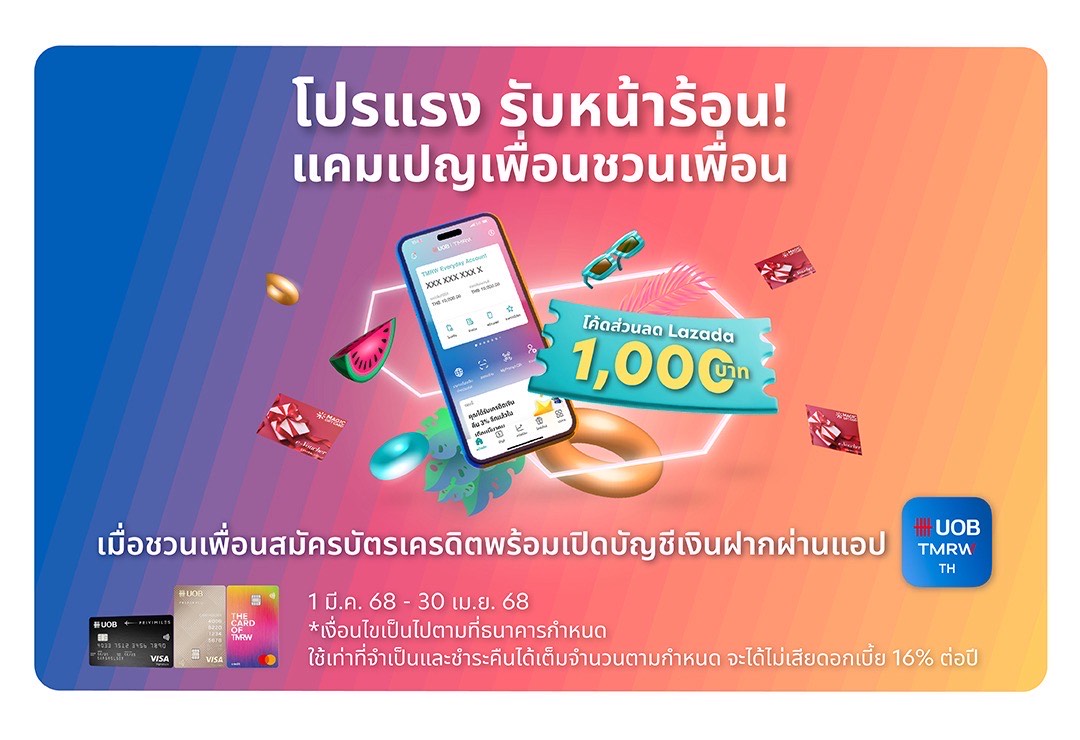
Apply for UOB Credit Cards to Enjoy Exclusive Rewards, Cashback Offers and Privileges.
Find out more


Our Investment Solutions
Our Unique Wealth Approach

Access the expertise of UOB Private Bank’s CIO in Singapore.
Invest in funds powered by Private Bank CIO– the United CIO Income Fund and United CIO Growth Fund.
Find out more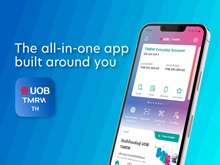
UOB TMRW
Meet UOB TMRW. The all-in-one banking app built around you and your needs. Bank. Invest. Reward. Make TMRW yours.
Find out more
-
you are in Personal Banking

For Individuals
Wealth BankingPrivilege BankingFor Companies
Wholesale BankingFOREIGN DIRECT INVESTMENTAbout UOB
ABOUT USUOB GroupUOB NEWSCAREERSUSTAINABILITYUOB Subsidiaries
UOB Subsidiaries



Browse Our Credit Card Categories
UOB Credit Card is the perfect companion for all your needs, offering rewards for your spending
Apply on UOB TMRW Application only
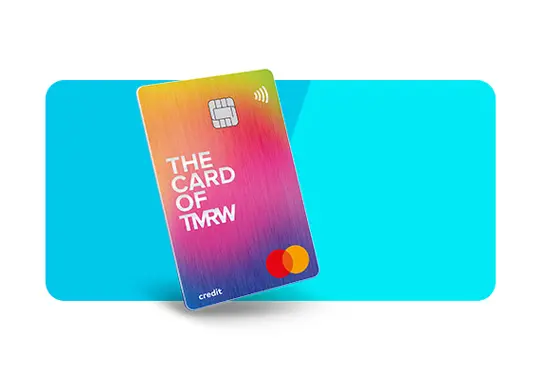
TMRW Credit Card
Get up to 2,000 THB* Cashback for
new TMRW Credit Card sign up
Enjoy up to 3% cashback on your chosen lifestyle categories. All other spends give you 1% cashback.
UOB Credit Card Members, find out what else to reward yourself

UOB Referral Program
Refer a friend to UOB Credit Card and both enjoy exclusive rewards! Share the benefits and unlock more with every referral.

Latest Credit Card Promotions
Swipe into savings with UOB’s latest credit card promotion! Enjoy exclusive rewards, cashback, and more – limited time offer, don’t miss out!
UOB PayAnything
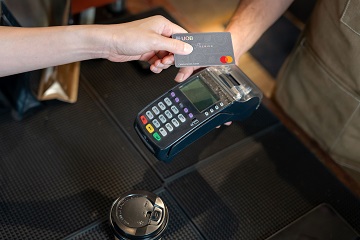
Your all-in-one solution for bills, utilities, rent, education fees, and more! Simplify your payments, receive UOB Rewards Points or cash rebate* just like how you normally spend your credit card and enjoy peace of mind wherever you go
Apply Supplementary Card
Empower your loved ones with a UOB Supplementary Credit Card! Share the benefits, manage expenses, and earn rewards together.

UOB PayLater
Shop now, pay later with UOB PayLater! Enjoy the flexibility to make purchases and settle your bills conveniently by converting big purchases into small instalment


UOB Credit Card Members, find out what else to reward yourself
UOB Referral Program
Refer a friend to UOB Credit Card and both enjoy exclusive rewards! Share the benefits and unlock more with every referral.
Latest Credit Card Promotions
Swipe into savings with UOB’s latest credit card promotion! Enjoy exclusive rewards, cashback, and more – limited time offer, don’t miss out!
UOB PayAnything
Your all-in-one solution for bills, utilities, rent, education fees, and more! Simplify your payments, receive UOB Rewards Points or cash rebate* just like how you normally spend your credit card and enjoy peace of mind wherever you go
Apply Supplementary Card
Empower your loved ones with a UOB Supplementary Credit Card! Share the benefits, manage expenses, and earn rewards together.
UOB PayLater
Shop now, pay later with UOB PayLater! Enjoy the flexibility to make purchases and settle your bills conveniently by converting big purchases into small instalment
We are ready to help you.



Card Services
Card Activation
To activate your Credit / Debit Card, please contact UOB’s call center staff at 0 2285 1555 or via UOB TMRW application.

Increase Credit Limit
To increase your credit limit, please visit UOB branch in Thailand, contact UOB’s call center staff at 0 2285 1555 or via UOB TMRW application.

Lost / Stolen Card
Report the loss or theft of your card promptly by contacting service at 0 2285 1555, available 24/7. This ensures immediate action to prevent unauthorized usage of your card.

Installment Plan via phone
The primary card holder should reach out to UOB’s call center staff at 0-2285-1555, expressing the desire to apply for an installment plan following the completion of a transaction with their UOB Credit card.

UOB Rewards Points
Maximize your UOB Credit Card benefits by accumulating valuable rewards points with every purchase. Redeem for exciting advantages and experiences tailored to enhance your lifestyle.
Card Services
Card Activation
To activate your Credit / Debit Card, please contact UOB’s call center staff at 0 2285 1555 or via UOB TMRW application.
Increase Credit Limit
To increase your credit limit, please visit UOB branch in Thailand, contact UOB’s call center staff at 0 2285 1555 or via UOB TMRW application.
Lost / Stolen Card
Report the loss or theft of your card promptly by contacting service at 0 2285 1555, available 24/7. This ensures immediate action to prevent unauthorized usage of your card.
Installment Plan via phone
The primary card holder should reach out to UOB’s call center staff at 0-2285-1555, expressing the desire to apply for an installment plan following the completion of a transaction with their UOB Credit card.
UOB Rewards Points
Maximize your UOB Credit Card benefits by accumulating valuable rewards points with every purchase. Redeem for exciting advantages and experiences tailored to enhance your lifestyle.
Credit Cards - Frequently Asked Questions
What types of UOB credit cards are available?

UOB offers a variety range of credit cards, to serve all customer’s lifestyle including cash back, rewards, shopping, privileges, and travel/mileage cards. Explore our selection to find one that aligns with your lifestyle.
How can I apply for a UOB credit card online?
Applying is easy! Choose your desired card, submit your contact information, and our sales executive will get in touch with you to guide you through the application process.
What are the eligibility criteria for UOB credit card application?
Eligibility criteria vary, typically involving age, income, and credit history. Check the eligibility criteria section on the desired card’s page for specific requirements.
Are there annual fees for UOB credit cards?
The Annual fees will apply to specific card types. Please check full T&C on UOB website.
What rewards and benefits come with UOB credit cards?
UOB credit cards offer a variety of rewards, including cashback, travel perks, and exclusive welcome promotions. Explore the specific card details to discover benefits tailored to you.
How can I redeem rewards earned on my UOB credit card?
Redeeming rewards is simple. Log in to your UOB rewards points website(https://www.uob.co.th/rewards/), navigate to the rewards section, and follow the instructions to redeem your points or cashback.
What security measures are in place for UOB credit cards?
We prioritize your security. UOB credit cards come with advanced features, including chip technology, one-time passwords(OTP), and 24/7 monitoring for suspicious activities.
What is UOB changing regarding PIN services, and when will this change take effect?
UOB will discontinue the PIN mailer service, which is the delivery of PINs by physical mail effective 1 September 2026. This applies to all credit cards, debit cards, and UOB Cash Plus cards to supports enhanced security and customer convenience.
What happens after the PIN mailer service is discontinued, and how do I set or reset my cash withdrawal PIN?
From 1 September 2026 onwards, customers can set or reset their cash withdrawal PIN via the UOB TMRW app at any time. Please download and register for the UOB TMRW app via the App Store or Google Play Store. A step-by-step registration guide and user manual are also available on the Bank’s website at: https://www.uob.co.th/personal-en/digital-banking/tmrw/user-guide.page
How do I set or reset my cash withdrawal PIN?
Customers can set or reset their cash withdrawal PIN via the UOB TMRW app at any time. Please download and register for the UOB TMRW app via the App Store or Google Play Store. A step-by-step registration guide and user manual are also available on the Bank’s website at: https://www.uob.co.th/personal-en/digital-banking/tmrw/user-guide.page
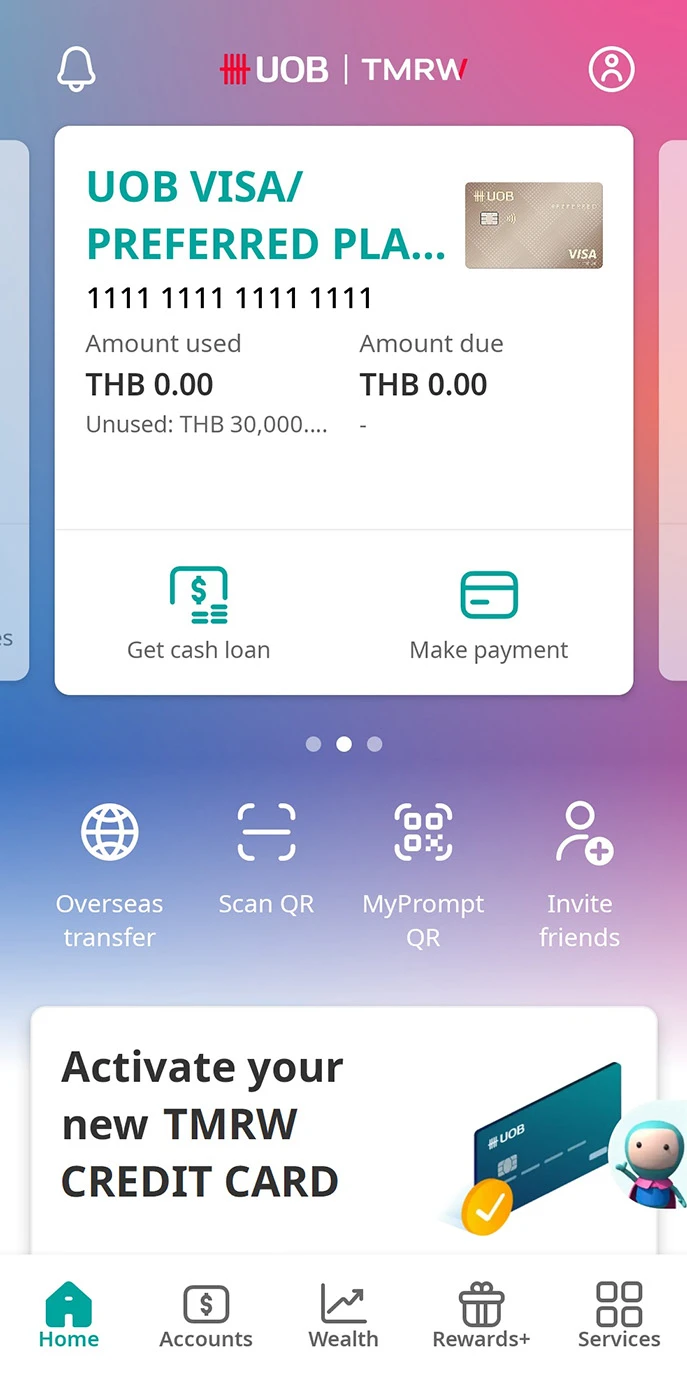
1. Log in to UOB TMRW and select the account linked to the card you wish to set cash withdrawal PIN.
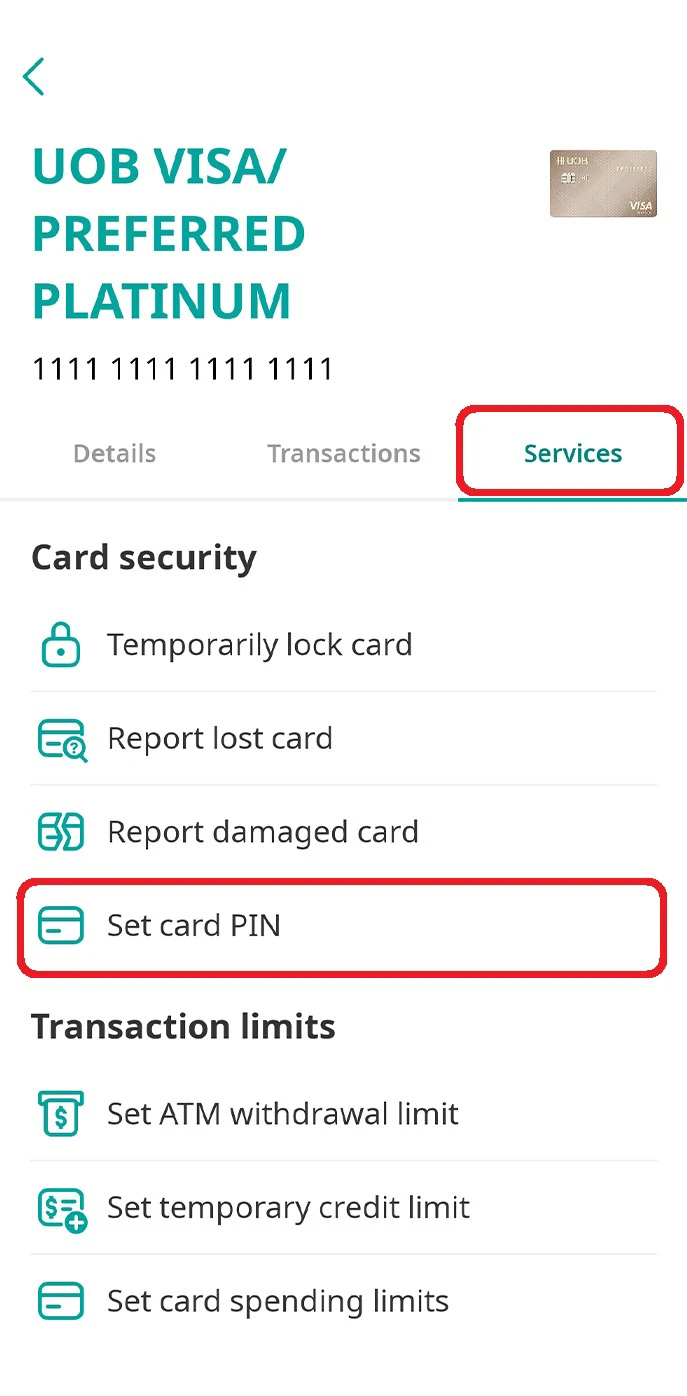
2. Tap on “Services” and select “Set card PIN”.
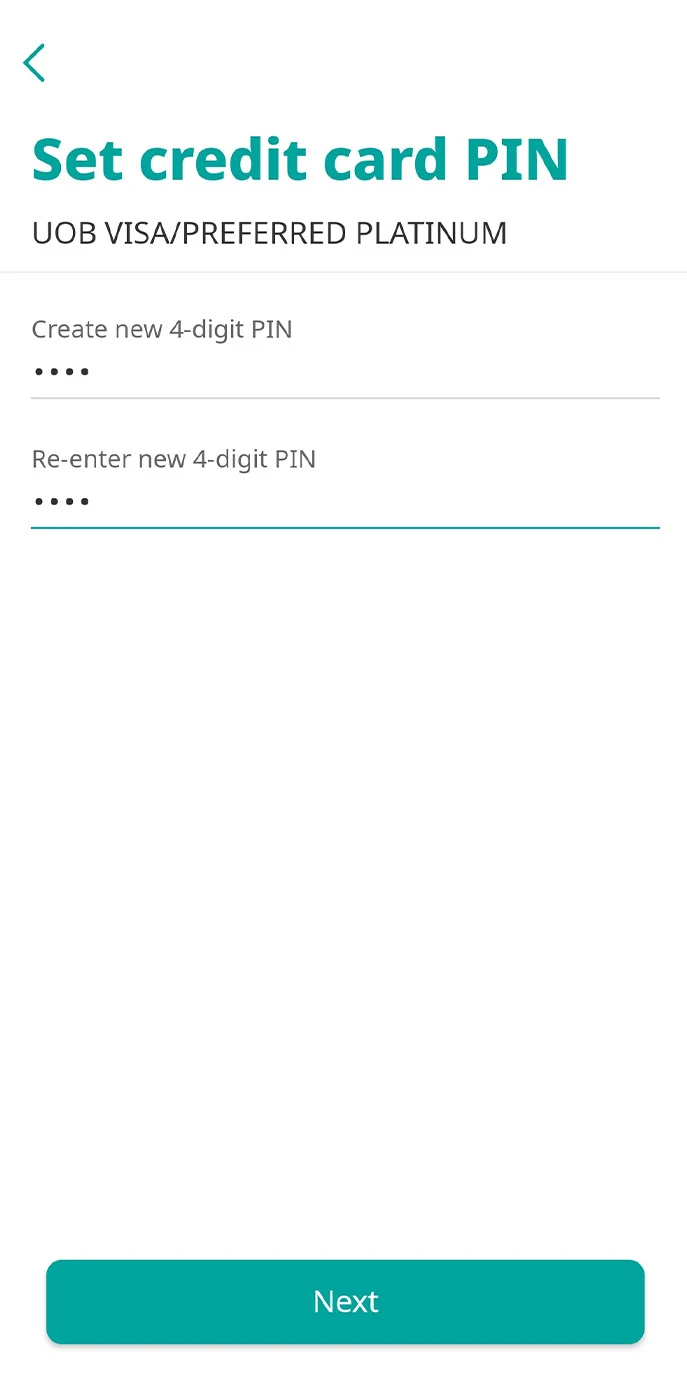
3. Enter new PIN 4-digit for credit card.
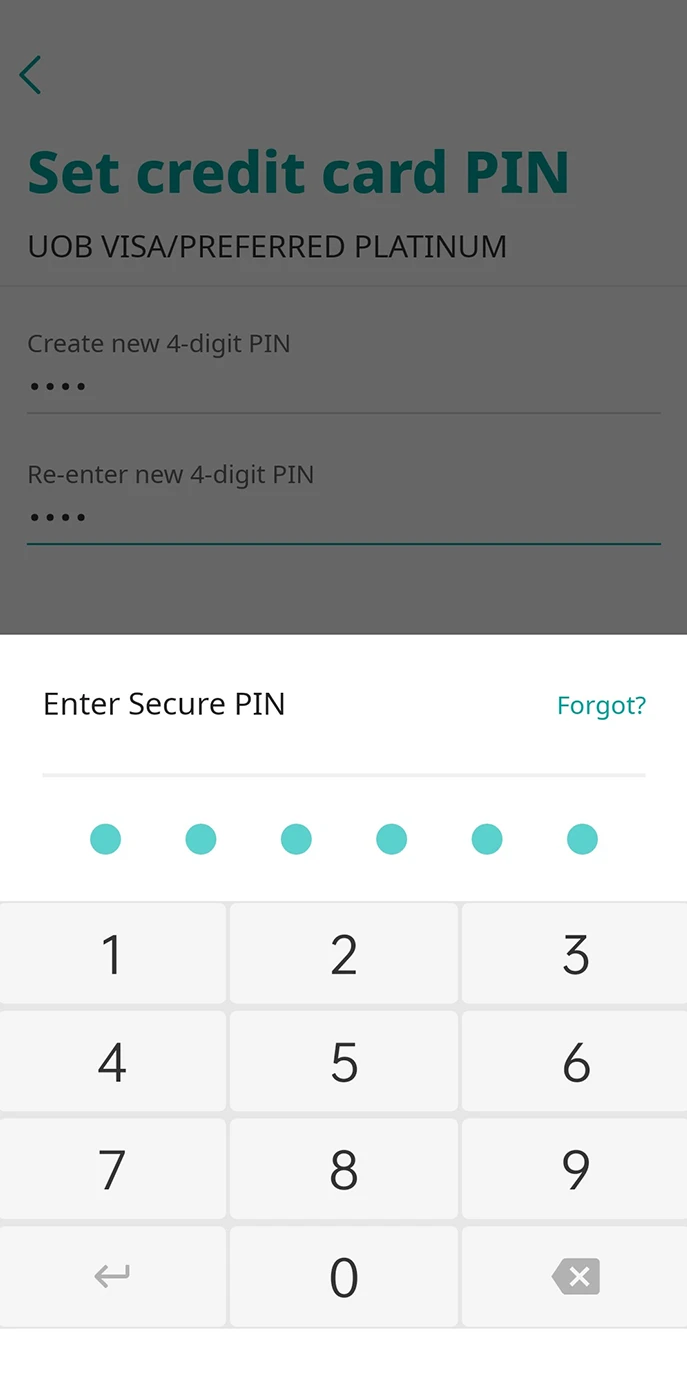
4. Enter your 6-digit Secure PIN for authentication.
What are the requirements to register and use the UOB TMRW app?
To register and use the UOB TMRW app, UOB is required to verify your identity. You must have provided mobile number and email address to UOB. These details are required during the registration process and using the app since UOB TMRW app is designed with multiple security features to ensure that managing your cash withdrawal PIN is done securely.
What should I do if I have not provided my contact details to UOB yet?
If you have not yet provided this information or wish to update your details, kindly contact the UOB Contact Centre at 0 2285 1555 before registering to the UOB TMRW app or chat with UOB Assist at: https://www.uob.co.th/personal-en/chat.page To ensure your convenience and avoid service disruption, customers are advised to provide or update their contact details before begin the registration and using the app.
Connect with Us

UOB Contact Centre

Contact Us