Card services

Apply for UOB Credit Cards to Enjoy Exclusive Rewards, Cashback Offers and Privileges.
Find out more

Endowment Insurance
Unit Link


Our Investment Solutions
Our Unique Wealth Approach

Access the expertise of UOB Private Bank’s CIO in Singapore.
Invest in funds powered by Private Bank CIO– the United CIO Income Fund and United CIO Growth Fund.
Find out more
UOB TMRW
Meet UOB TMRW. The all-in-one banking app built around you and your needs. Bank. Invest. Reward. Make TMRW yours.
Find out more
-
YOU ARE IN Personal Banking

For Individuals
Wealth BankingPrivilege BankingFor Companies
GROUP WHOLESALE BANKINGFOREIGN DIRECT INVESTMENTAbout UOB
ABOUT USUOB GroupUOB NEWSCAREERSUSTAINABILITYUOB Subsidiaries
UOB Subsidiaries

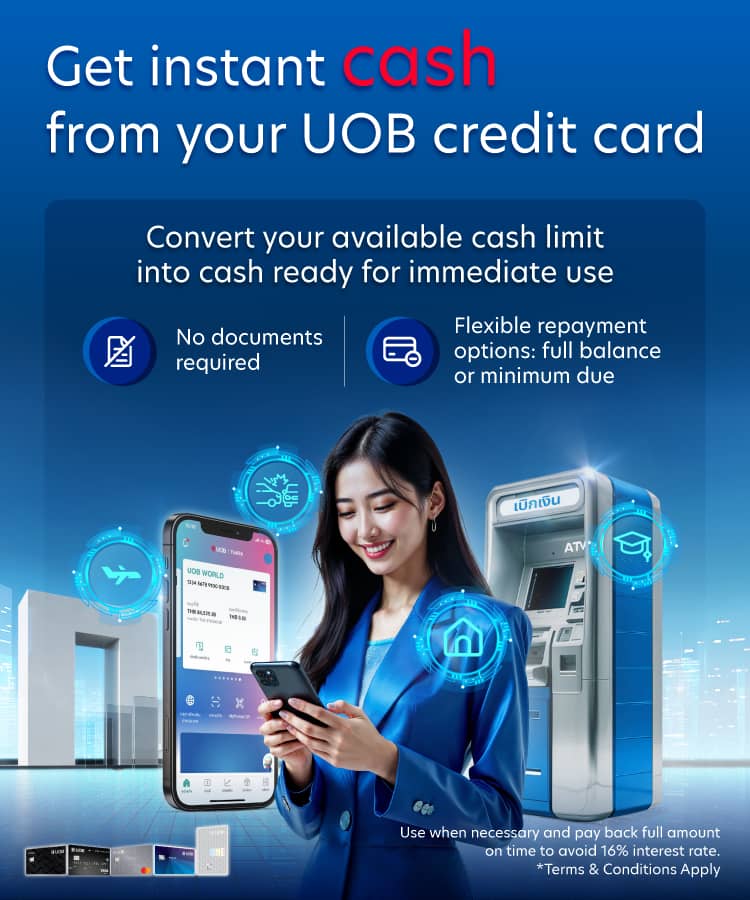

UOB Cash Advance is an exclusive service for UOB credit cardholders that enables you to instantly convert your available cash advance limit into ready-to-use cash or transfer it directly to your savings account. No approval is required, no additional documentation is needed, and transactions can be conveniently completed via the UOB TMRW app, any nearby ATM, or a UOB branch.
Use when necessary and pay back full amount on time to avoid 16% interest rate
*Terms & Conditions Apply
Benefits

Instant Cash Availability
Convert your available cash advance limit into ready-to-use cash instantly.

Flexible Payment
Choose to repay in full or make minimum payments. No fixed installment plans required.

Withdraw Anytime, Anywhere
No documents needed. Make transactions anytime via the UOB TMRW app, any ATM or a nearby branch.

Get up to THB 10,000 cashback*
Simply make a Cash Advance with your UOB Credit Card via the UOB TMRW app, any nearby ATM, or a UOB branch
| Accumulated cash advance amount/ Credit card/ Month* |
Get Cashback |
| Every 20,000 THB |
200 THB |
When perform cash advance transaction via UOB credit card per program terms and condition during 1 October 2025 - 31 December 2025. The transaction date is based on the date shown in the bank's system (Transaction Date). Members must register to join the program in every month they make a transaction via Rewards+ on the UOB TMRW app (free of charge) or register via SMS by typing CASH followed by a space and the last 12 digits of their credit card number, then send it to 4545111 (Example: CASH 754011249999) (SMS charges depend on your mobile package) to be eligible for rewards for that specific month. Once registration is successful, members will receive a confirmation SMS with a link to the program’s terms and conditions after successful registration.
Use when necessary and pay back full amount on time to avoid 16% interest rate
*Terms & Conditions Apply
How to Apply for Cash Advance


ATM
Insert your UOB credit card into any ATM, select "Cash Withdrawal", choose "Credit Card" as the account type, enter your PIN, specify the amount, and confirm the transaction.

Steps to enroll Cash Advance via UOB TMRW App
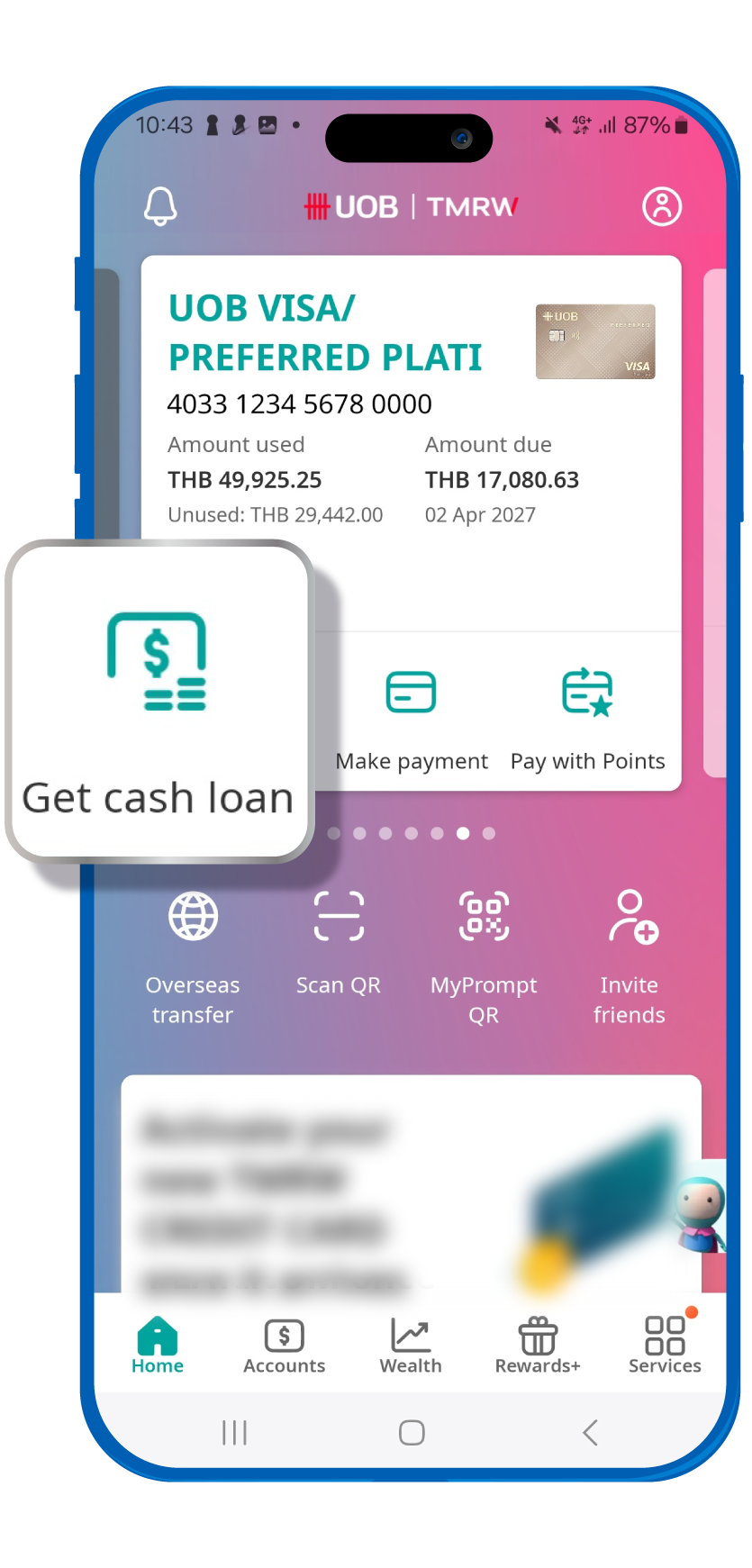
1. Log in to the UOB TMRW app, go to the home menu, and select “Get cash loan” on the desired credit card.
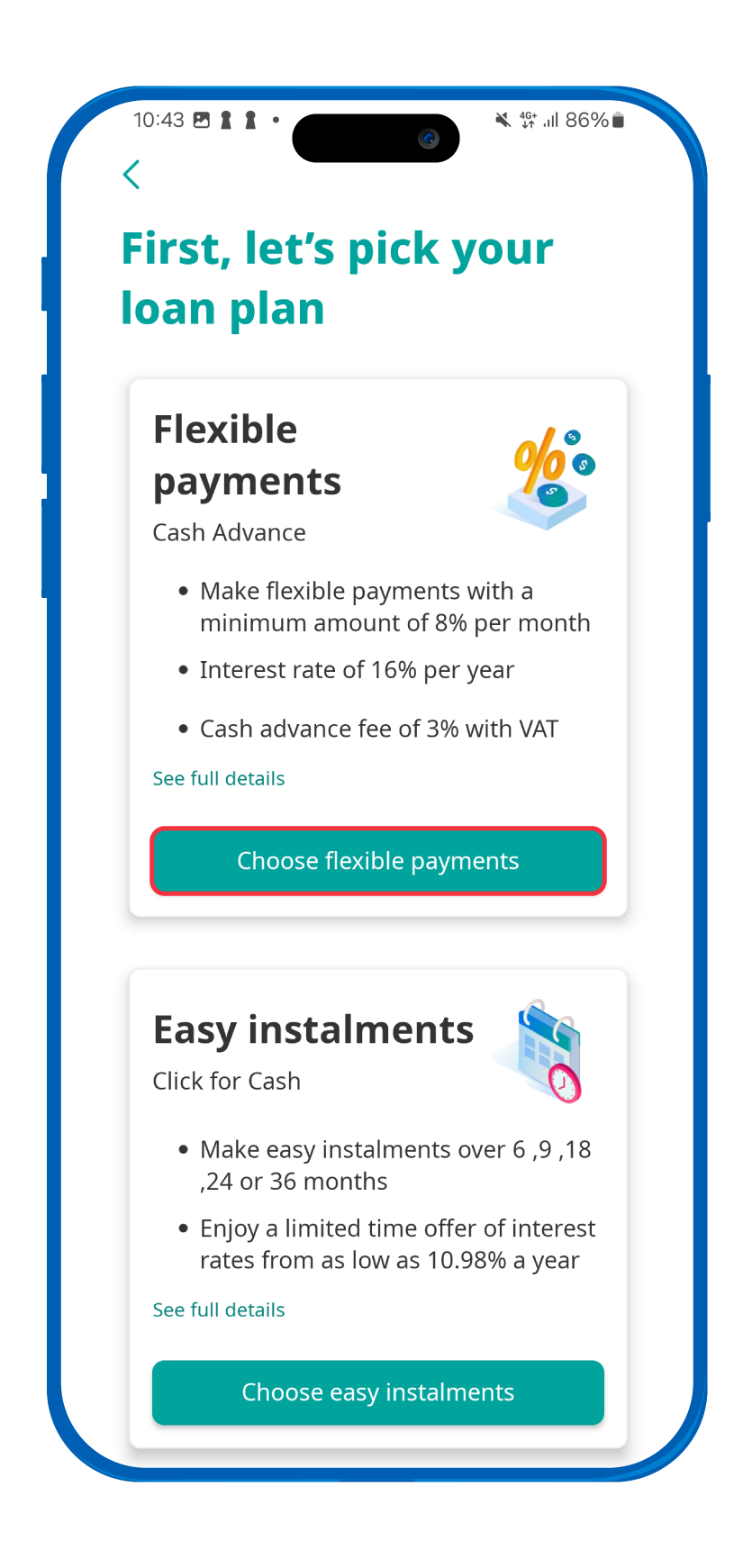
2. Choose the withdrawal type “flexible payments"
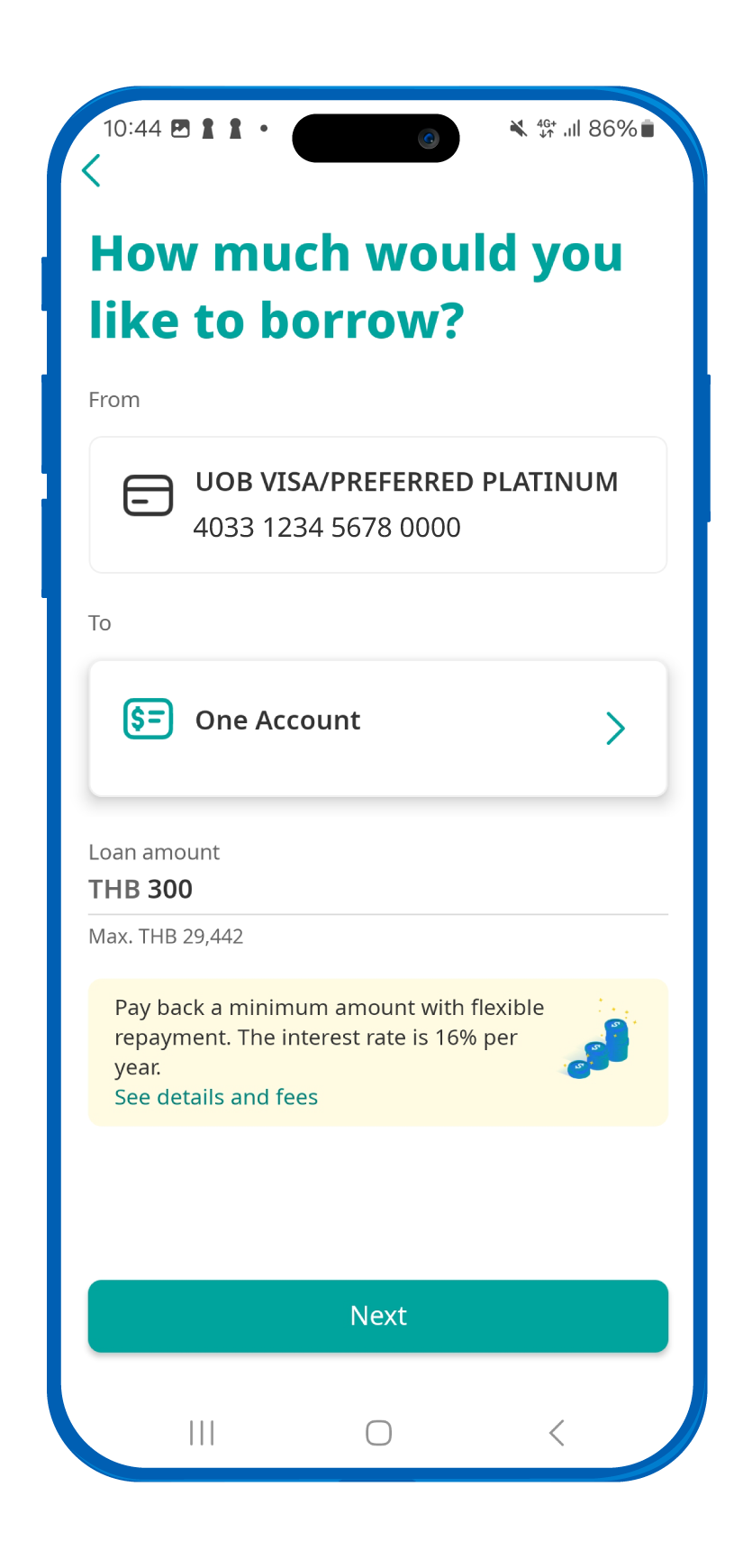
3. Select the destination account and enter the withdrawal amount.
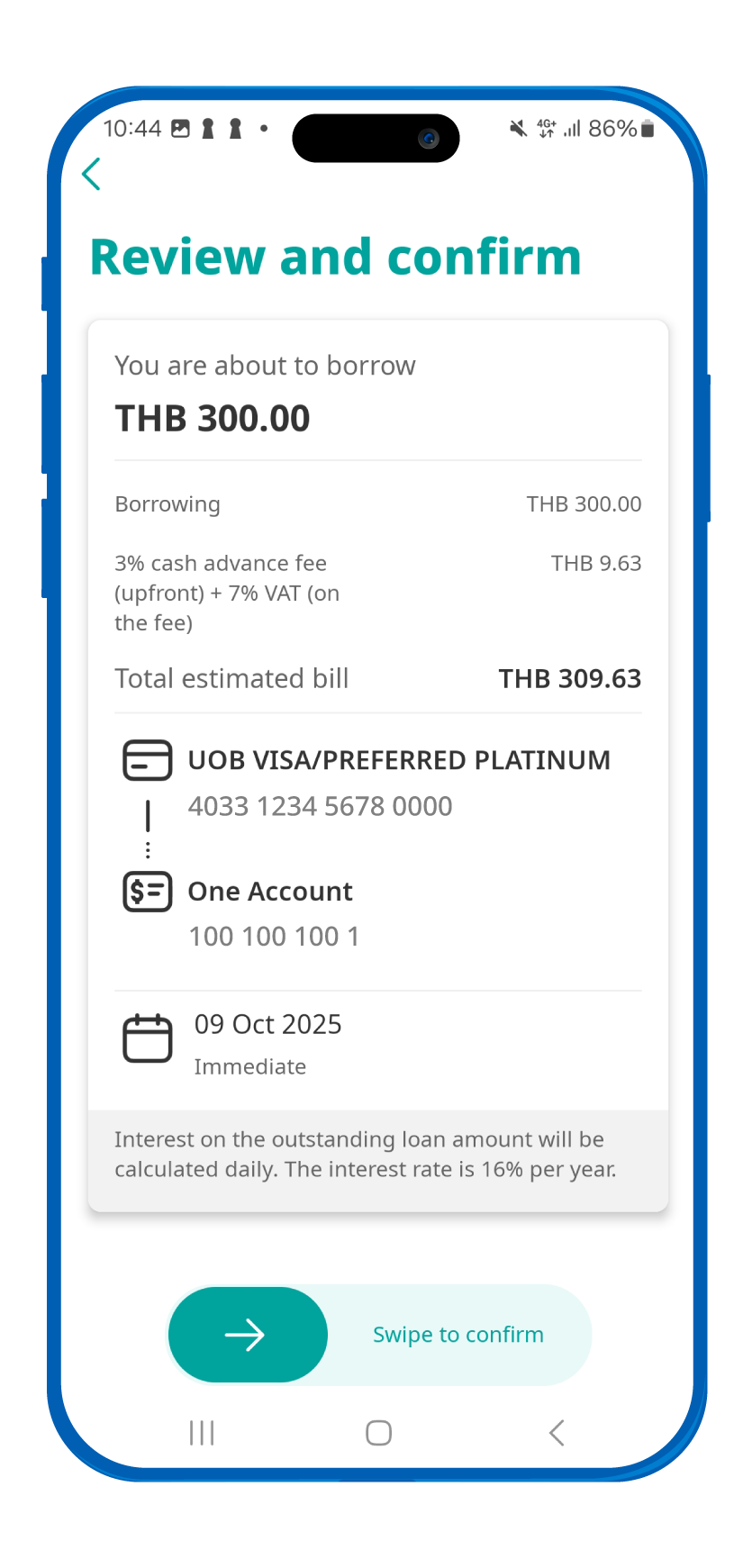
4. Review the details and swipe to confirm the transaction.
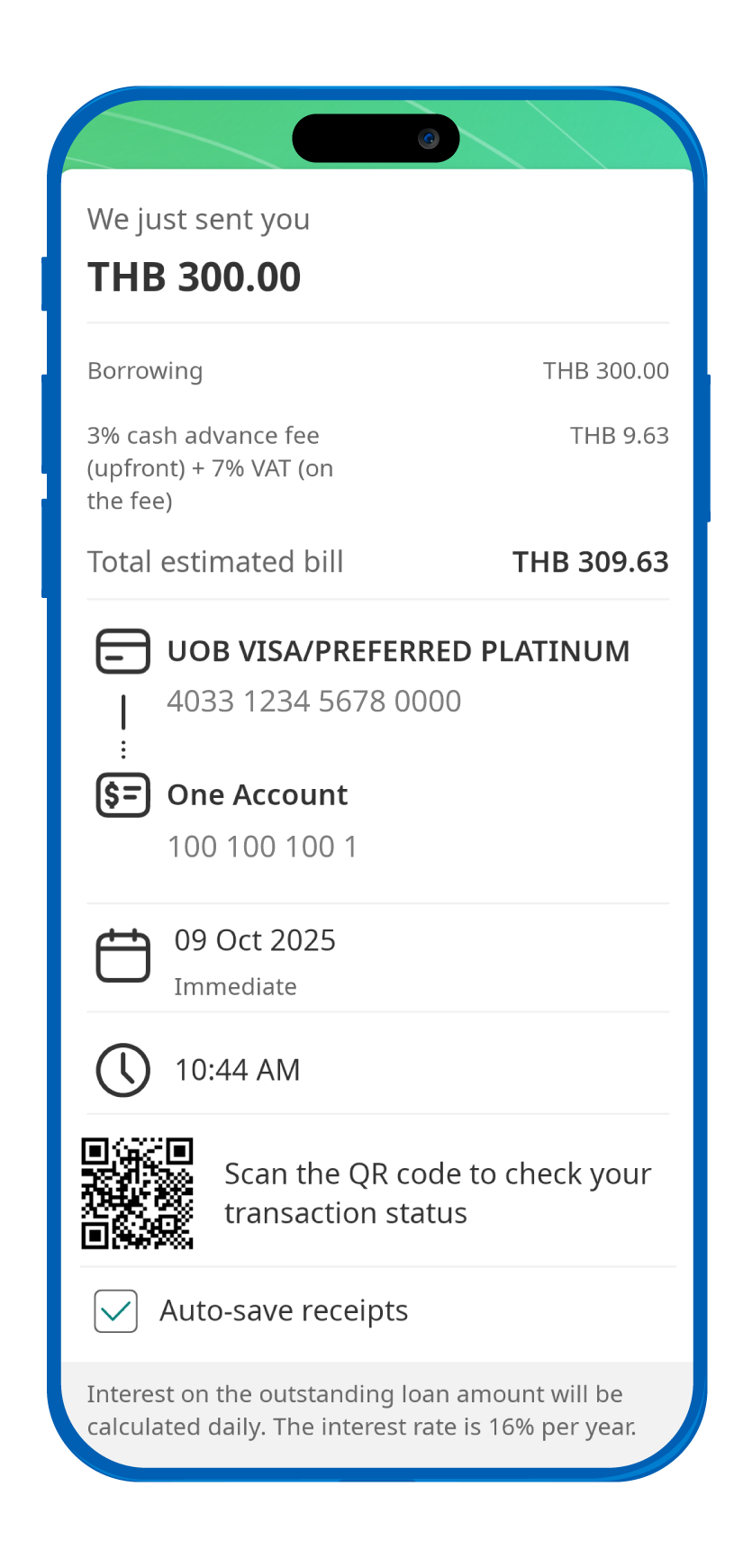
5. Transaction completed successfully.
How to set Card PIN for your UOB Credit Card
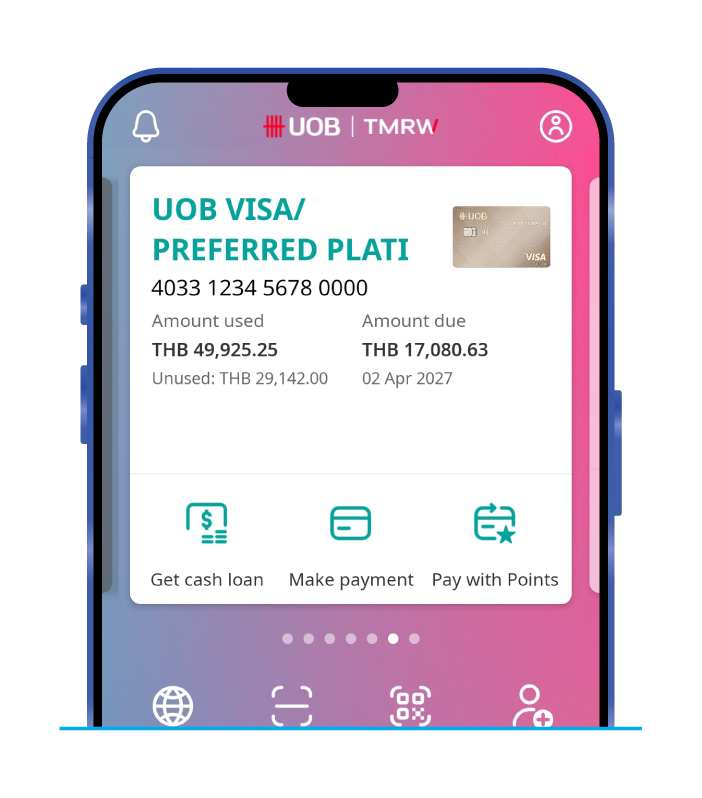
1. Open the UOB TMRW app and go to your UOB credit card screen.
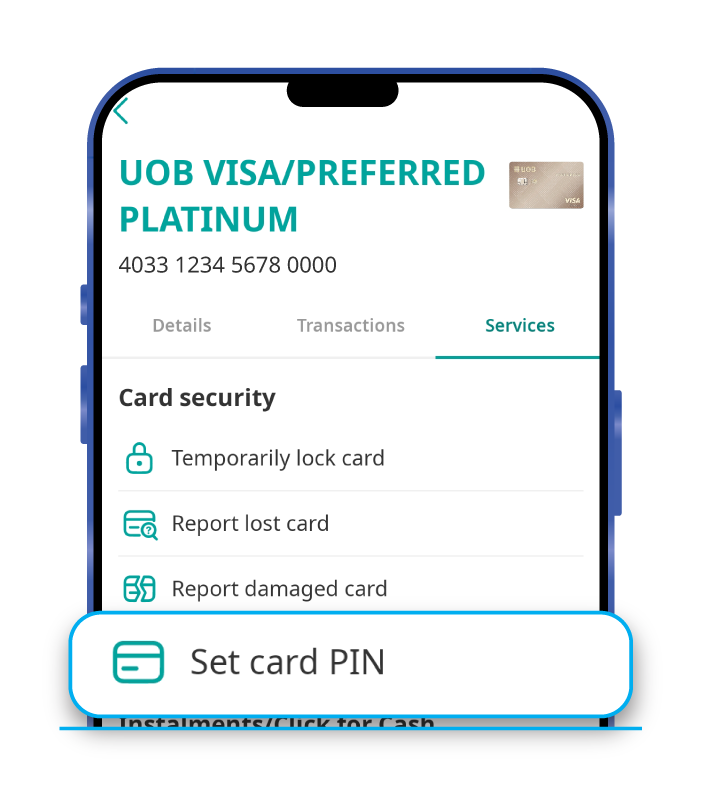
2. Select “Set Card PIN ” from the Services tab.
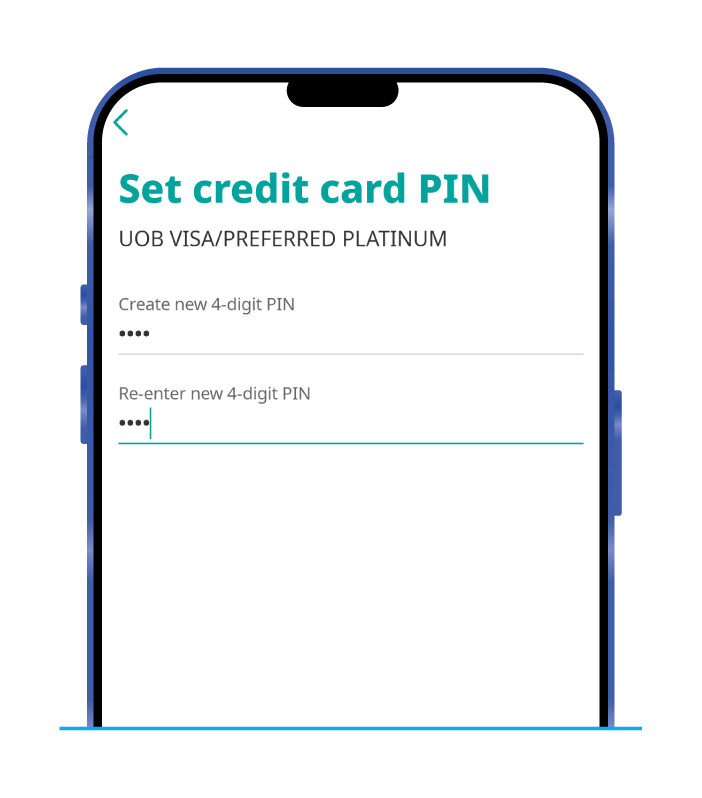
3. Enter your new 4-digit cash withdrawal PIN and confirm it.
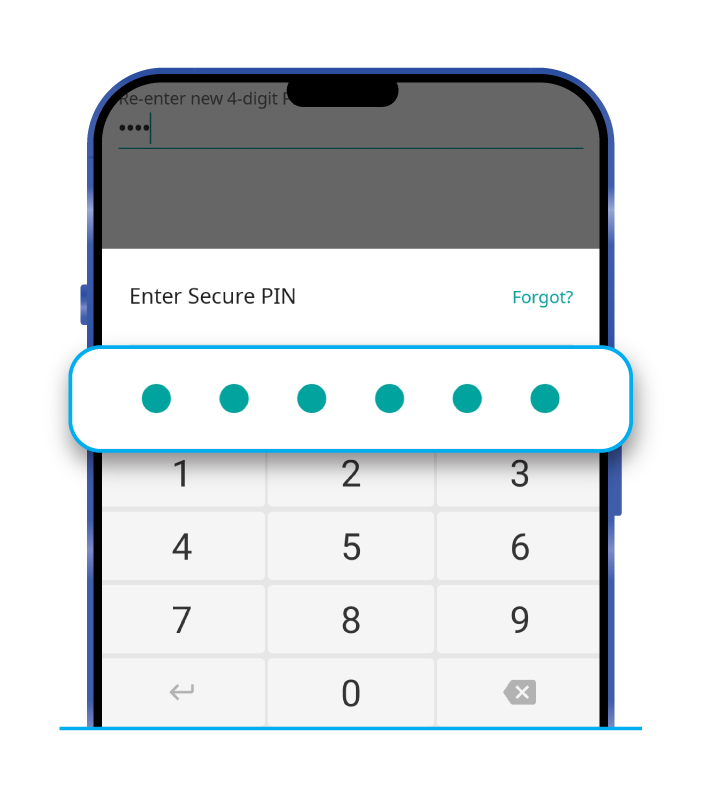
4. Enter your 6-digit Secure PIN to verify. Your new PIN is now ready to use.
Not a UOB Cardholder yet?
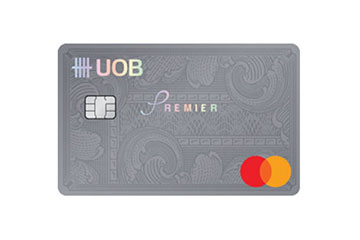
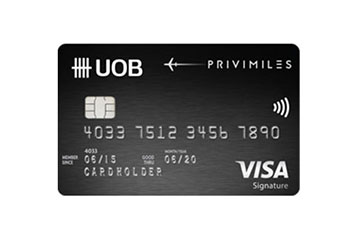
Explore Our Credit Cards that Suits your Lifestyle



Terms and Conditions of Product
Definitions

- “Member” refers to UOB credit cardholders, including both primary and supplementary cardholders, excluding corporate credit cards.
- “Available Cash Advance Limit” refers to the remaining credit limit that the member can use for cash advance transactions at any given time.
- “Statement Cycle Date” refers to the date on which the bank summarises the credit card spending for the billing cycle.
Terms and Conditions of UOB Cash Advance Service
- The UOB Cash Advance service allows members to convert their available cash advance limit into immediate cash or transfer it into their deposit account.
- Members can access the service through channels designated by the bank, such as ATM, UOB TMRW application, or UOB branches.
- UOB credit cards allow cash withdrawals of up to 100% of the credit limit, subject to payment history, card membership duration, remaining cash withdrawal limit, and the bank’s assessment criteria, which may vary for each cardholder or card type.
- Once the cash advance transaction is approved and processed, the member is deemed to have received the funds from the bank. The transaction will be recorded as a credit card usage.
- The member agrees to repay either the full amount or the minimum payment, along with the applicable cash advance fee, value-added tax (VAT), and interest, as determined by the bank. Such transactions cannot be canceled or exempted from fees, VAT, or interest.
- In the event of default, the bank reserves the right to charge penalty interest at the rate prescribed by applicable laws and take legal action or report to credit bureaus as deemed appropriate.
- The bank reserves the right to amend the terms, fees, and interest rates with prior notice. Members can check the latest information on the bank’s website.
- Using this service constitutes the member’s acknowledgment and acceptance of all terms and conditions stated herein.
- These terms and conditions may be translated into English language. In case of any inconsistency or discrepancy between Thai and English versions, Thai version shall prevail.
Fees and Interest
- The bank charges a cash advance fee at the following rates:
3% of the transaction amount (general rate)
1% for UOB Simple credit cards for the transaction via ATM channel
Plus 7% value-added tax (VAT) on the calculated fee - Interest on cash advance transactions is charged at 16% per annum, calculated daily from the transaction date until one day before the full repayment date or the statement cycle date, whichever comes first.
- The method of interest calculation follows the bank’s guidelines. You can learn more at: https://www.uob.co.th/personal/credit-cards/interest-rates/calculate.page
Frequently Asked Questions
What is the UOB Cash Advance Service?
UOB Cash Advance is an exclusive service for UOB credit cardholders that enables you to instantly convert your available cash advance limit into ready-to-use cash or transfer it directly to your savings account. No approval is required, no additional documentation is needed, and transactions can be conveniently completed via the UOB TMRW app, any nearby ATM, or a UOB branch.
If I do not withdraw cash via an ATM, which destination accounts can I transfer the UOB Cash Advance to?
It depends on the channel you choose to make the transaction. You can only transfer funds to an account under your own name.
- If you enroll Cash Advance via the UOB TMRW app, you can only transfer funds to only UOB deposit account.
- If you withdraw cash at a UOB branch or make the transaction directly with a bank officer, you can transfer the Cash Advance to any bank account.
How much can I withdraw using UOB Cash Advance?
You can withdraw up to the maximum amount of your available cash advance credit limit on your UOB credit card.
Which types of credit cards can be used for this service?
You can use any type of UOB credit card, both primary and supplementary cards, except for corporate credit cards.
When will I receive the funds?
If you make the transaction via the UOB TMRW app or an ATM, you will receive the funds immediately after confirming and successfully completing the transaction.
If you make the transaction at a UOB branch or directly with a bank officer, the funds will be transferred to your account within 3 business days.
Are there any fees for using the UOB Cash Advance service?
Each cash advance transaction is subject to the following fees and charges:
- 3% of the transaction amount (regular rate)
- 1% for UOB Simple credit cards for the transaction via ATM channel
- Plus 7% value-added tax (VAT) on the calculated fee
When is interest calculated?
The bank calculates interest on a daily basis, starting from the date of the cash advance transaction until one day before the full repayment date or the statement cycle date—whichever comes first. The interest rate is 16% per annum.
Can I repay the UOB Cash Advance amount in advance?
Yes, you can repay your UOB Cash Advance amount at any time through the UOB TMRW app, auto-debit service, any UOB branch, or other available payment channels. For more details on payment methods, please visit:https://www.uob.co.th/personal/service/payment-channel.page
Are there any limitations on using the UOB Cash Advance service?
The transaction amount must not exceed your available cash advance credit limit. Additionally, the eligibility and cash advance limit for each member or each credit card may vary depending on the bank’s internal criteria.
Can I modify or cancel the transaction after it has been confirmed?
Once you have confirmed the transaction and the bank has successfully processed it, you will not be able to cancel it or request a waiver of any fees, value-added tax (VAT), or interest charges.
How will my cash advance transaction appear on my UOB credit card statement?
Your transaction will be listed as “CASH ADVANCE”, and the cash advance fee including 7% value-added tax (VAT) will appear as “CASH ADVANCE FEE WITH VAT 7%” on your UOB credit card statement. For example
Connect with Us

UOB Contact Centre

Contact Us

Locate us
Get instant cash with
UOB Cash Advance
UOB TMRW App now!

เราใช้คุกกี้จำเป็นและคุกกี้บุคคลภายนอกเพื่อปรับปรุงประสบการณ์การใช้งานของท่าน การเรียกดูไซต์นี้ต่อไปแสดงว่าคุณยอมรับการใช้งานของเรา