Card services

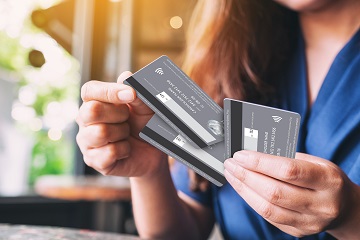
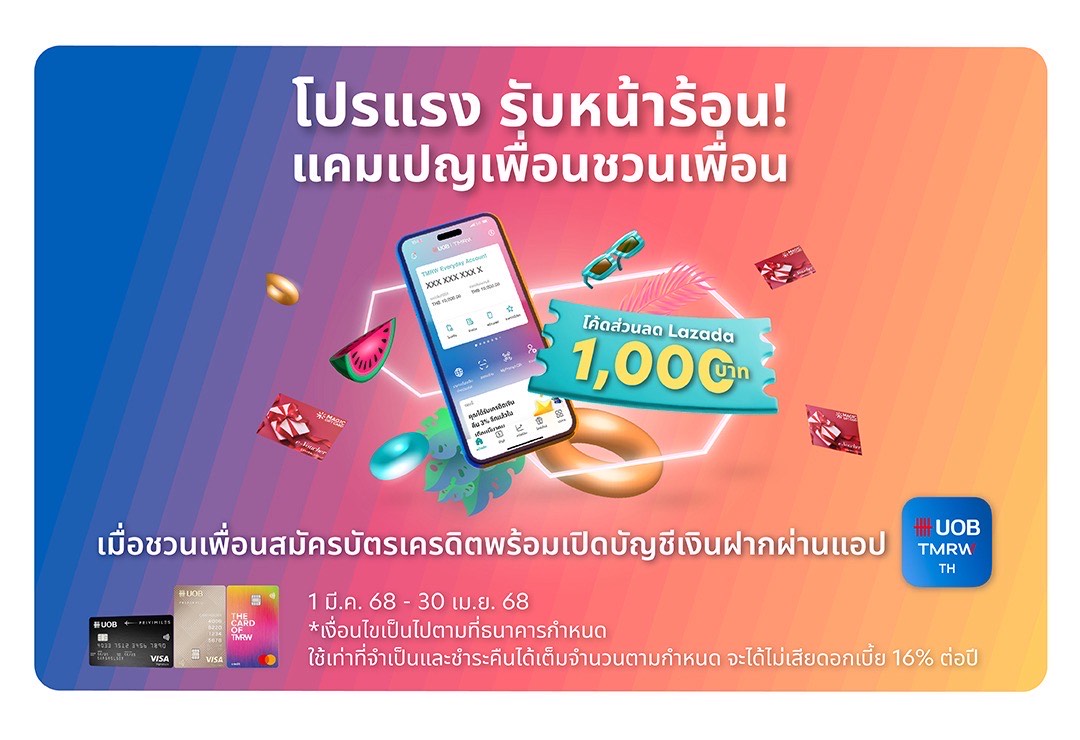
Apply for UOB Credit Cards to Enjoy Exclusive Rewards, Cashback Offers and Privileges.
Find out more



Our Investment Solutions
Our Unique Wealth Approach

Access the expertise of UOB Private Bank’s CIO in Singapore.
Invest in funds powered by Private Bank CIO– the United CIO Income Fund and United CIO Growth Fund.
Find out more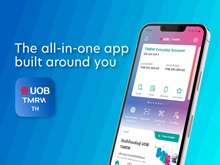
UOB TMRW
Meet UOB TMRW. The all-in-one banking app built around you and your needs. Bank. Invest. Reward. Make TMRW yours.
Find out more
-
you are in Personal Banking

For Individuals
Wealth BankingPrivilege BankingFor Companies
GROUP WHOLESALE BANKINGFOREIGN DIRECT INVESTMENTAbout UOB
ABOUT USUOB GroupUOB NEWSCAREERSUSTAINABILITYUOB Subsidiaries
UOB Subsidiaries


UOB Contact Centre Channels
You can contact UOB Contact Centre via chat assist, UOB TMRW Application and hotlines services.



How to use hotlines services
You can follow these steps to use hotlines services through the automated response system as follows:

Language Selection
- Press [1] for English
- Press [2] for Thai
Quick Menu
- Press [3] Report lost/stolen card or fraudulent transactions
- Press [2] Card cancellation and Fee waiver
-
For non-Thai customer, please hold the line for the main menu and press [0] to contact our customer services representative for card activation
Main Menu
- Press [1] Account information
- Press [5] Apply for credit card, UOB Cash Plus, Call for Cash, PayLater or Pay Anything
- Press [6] UOB Xpress personal loan
- Press [0] Contact our customer services representative.
Contact Customer Service Representative
- Press [*] Card cancellation and Fee waiver
- Press [1] Cards & UOB Cash Plus
- Press [2] Banking related
- Press [3] UOB TMRW application
- Press [4] Corporate card
- Press [5] Housing loan and Car2Cash loan
- Press [8] Mutual fund investment
- Press [9] Other services
FAQ
I cannot use my credit card/cash plus. How to check my card status?
You may check the outstanding credit card/cash plus balance by following the steps below:
UOB TMRW application
(1) Log in to UOB TMRW application
(2) Navigate to your respective card to see card status
UOB Chat Assist
(1) Visit www.uob.co.th/personal-en/chat.page
(2) Click menu Chat With Us at to bottom of website
(3) Click the Chat button at the bottom right
(4) Verify your security by completing the security verification. Read and accept the terms and conditions
(5) Select your preferred language and the topic you want to inquire about
(6) Enter your ID card number, account number, or bank card number to start chatting with the bot or a representative
Hotlines
(1) Call 0 2285 1555
(2) Press 1 for Account information
(3) Press 1 For available balance
How to check my credit card/cash plus application status?
You may check credit card/cash plus application status by following the steps below:
UOB TMRW application
(1) Log in to UOB TMRW application
(2) Select "Services" menu
(3) Select "Check application status" under "Application Status" menu
UOB Chat Assist
(1) Visit www.uob.co.th/personal-en/chat.page
(2) Click menu Chat With Us at to bottom of website
(3) Click the Chat button at the bottom right
(4) Verify your security by completing the security verification. Read and accept the terms and conditions
(5) Select your preferred language and the topic you want to inquire about
(6) Enter your ID card number, account number, or bank card number to start chatting with the bot or a representative
How to check the outstanding balance of my credit card/cash plus?
You may check the outstanding credit card/cash plus balance by following the steps below:
UOB TMRW application
(1) Log in to UOB TMRW application
(2) Navigate to your respective card to see "Outstanding balance"
UOB Chat Assist
(1) Visit www.uob.co.th/personal-en/chat.page
(2) Click menu Chat With Us at to bottom of website
(3) Click the Chat button at the bottom right
(4) Verify your security by completing the security verification. Read and accept the terms and conditions
(5) Select your preferred language and the topic you want to inquire about
(6) Enter your ID card number, account number, or bank card number to start chatting with the bot or a representative
Hotlines
(1) Call 0 2285 1555
(2) Press 1 for Account information
(3) Press 1 For available balance
How to request for temporary credit limit increase?
You may request for temporary credit limit increase by following the steps below:
UOB TMRW application
(1) Log in to UOB TMRW application
(2) Navigate to your respective card
(3) Select "Services" menu
(4) Select "Set card spending limits"
(5) Enter new credit limit and select "Next"
(6) Enter your secure PIN to proceed
UOB Chat Assist
(1) Visit www.uob.co.th/personal-en/chat.page
(2) Click menu Chat With Us at to bottom of website
(3) Click the Chat button at the bottom right
(4) Verify your security by completing the security verification. Read and accept the terms and conditions
(5) Select your preferred language and the topic you want to inquire about
(6) Enter your ID card number, account number, or bank card number to start chatting with the bot or a representative
How to inquire about my installment?
You may visit UOB PayLater or www.uob.co.th/personal-en/chat.page for more details.
What are the available payment channels and how to process payments?
You may visit UOB Payment Channel or www.uob.co.th/personal-en/chat.page for more details.
My card is lost. How to request for permanent block and replacement?
For security reason, we advise to temporarily block your card by following the steps below:
UOB TMRW application
(1) Log in to UOB TMRW application
(2) Navigate to your respective card
(3) Select "Services" menu
(4) Select "Temporarily lock card" and "Confirm"
You may report for lost card to permanently block your card and request for card replacement by following the steps below:
UOB TMRW application
(1) Log in to UOB TMRW application
(2) Navigate to your respective card
(3) Select "Services" menu
(4) Select "Report lost card" and "Confirm" to permanently block card
(5) Select "Replace card" and "Confirm" to request for card replacement
UOB Chat Assist
(1) Visit www.uob.co.th/personal-en/chat.page
(2) Click menu Chat With Us at to bottom of website
(3) Click the Chat button at the bottom right
(4) Verify your security by completing the security verification. Read and accept the terms and conditions
(5) Select your preferred language and the topic you want to inquire about
(6) Enter your ID card number, account number, or bank card number to start chatting with the bot or a representative
How do I temporarily lock and unlock my card?
You may temporarily lock card by following the steps below:
UOB TMRW application
To Temporarily lock your card:
(1) Log in to UOB TMRW application
(2) Navigate to your respective card
(3) Select "Services" menu
(4) Select "Temporarily lock card"
To unlock your card:
(1) Log in to UOB TMRW application
(2) Navigate to your respective card
(3) Select "Services" menu
(4) Select "Unlock card"
Connect with Us

UOB Contact Centre

Contact Us

Locate us

We use cookies to improve and customise your browsing experience. You are deemed to have consented to our cookies policy if you continue browsing our site.